Reference Files
Reference Files are a shared library of supporting documents for your team. Upload a document once, and anyone on your team can attach it to an Inspection Form, where it becomes a lettered appendix at the end of the published report.
Reference Files are useful for the documents you reach for again and again:
- Diagrams and illustrations: drawings that explain a property feature, such as a roof layout, a foundation type, or how a drainage system is meant to work.
- Code excerpts: the sections of a building code you cite most often.
- Homeowner resources: maintenance checklists, seasonal guides, and anything else worth handing your client alongside the report.
Viewing your library
Select Reference files from the sidebar to see everything in your team library. Each file shows its name, format, and size.
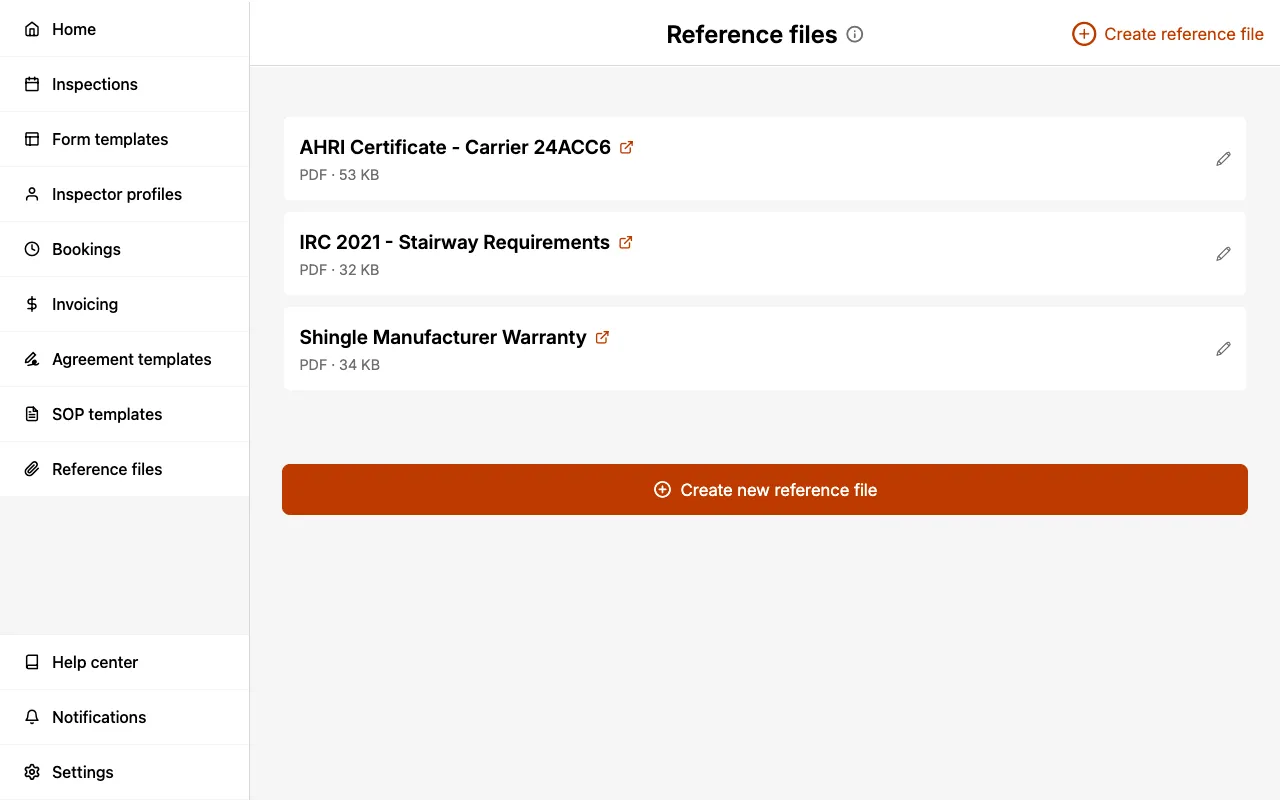
Select a file's name to open it in a new tab, or the pencil icon to edit it.
Supported files
Reference Files can be PDF, PNG, or JPG documents.
A team library can hold up to 100 files.
Adding a reference file
- Select Reference files from the sidebar.
- Select Create reference file.
- Select Choose a file and pick the document from your device.
- Enter a Name. This is the name that appears in the report, so use something your clients will understand.
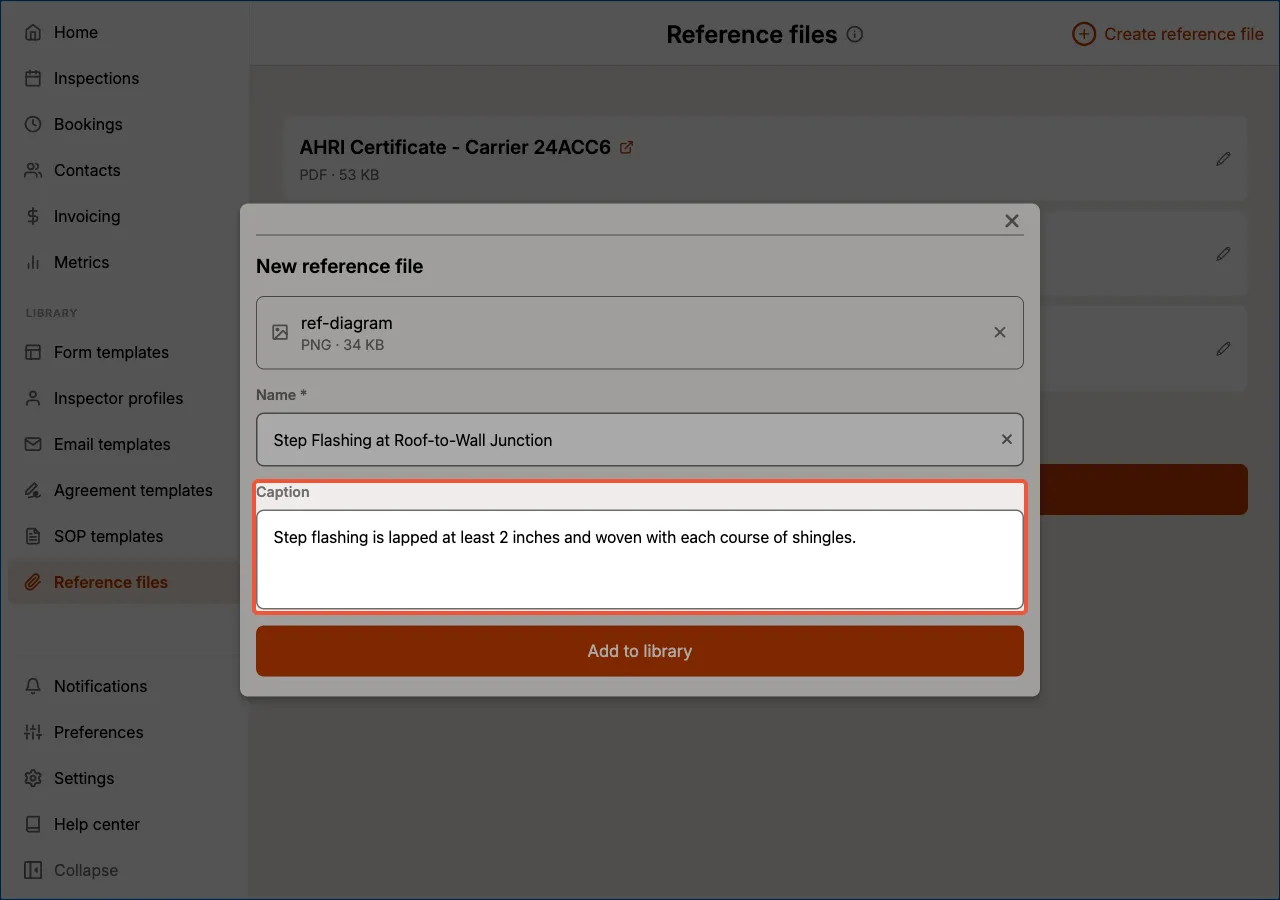
- For an image, optionally enter a Caption. This travels with the picture whenever it is attached to a Reference images field, so you write the explanation once instead of retyping it on every form.
- Select Add to library.
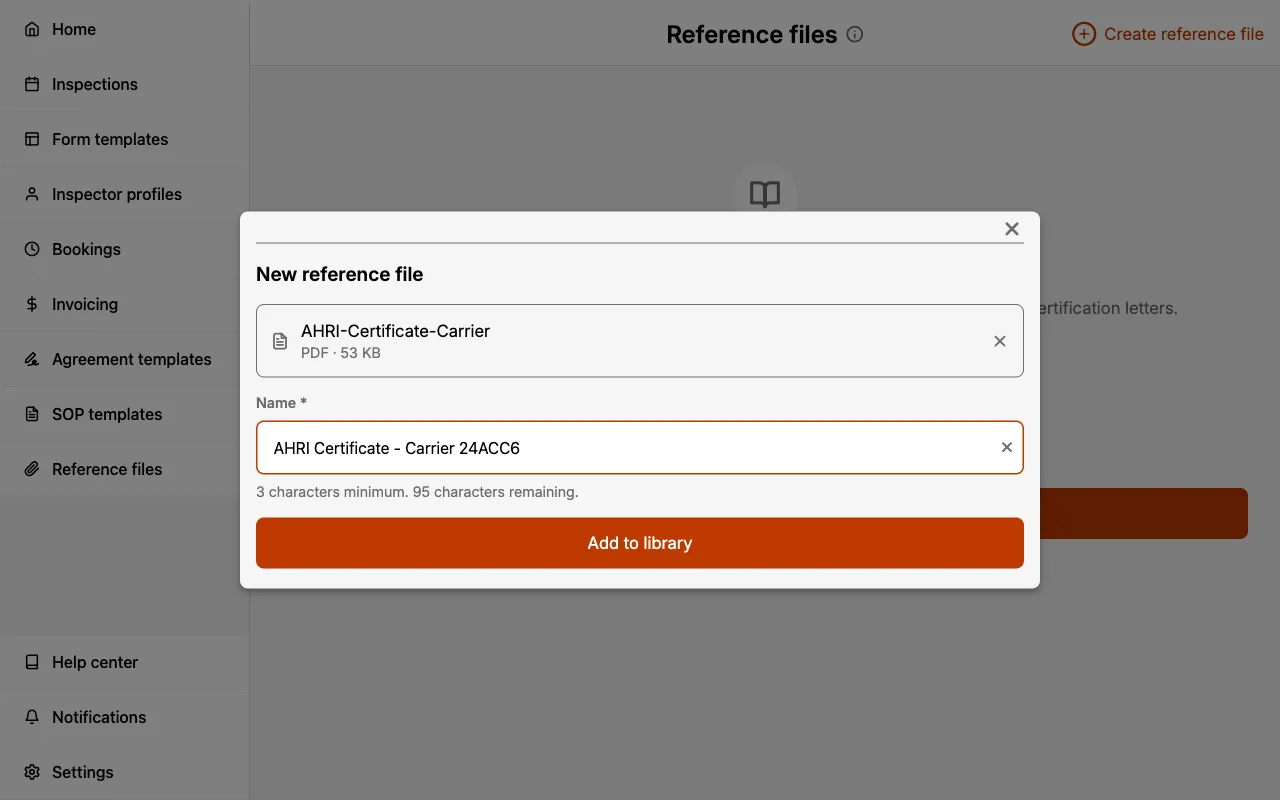
The Name field is prefilled from the filename, but filenames are rarely client-friendly. Replacing AHRI-Certificate-Carrier with AHRI Certificate - Carrier 24ACC6 makes the appendix far easier to follow in the finished report.
Names must be between 3 and 128 characters.
The Caption field is offered for PNG and JPG files only. PDFs are attached to reports as appendices rather than shown inline, so there is nothing for a caption to sit beneath.
A caption saved here is a starting point, not a fixed label. Whoever attaches the image to a form can edit its caption for that particular job without affecting the library copy.
Editing or replacing a reference file
Select the pencil icon next to any file to rename it, or select Replace to swap in a new version of the document while keeping the same name and every existing attachment.
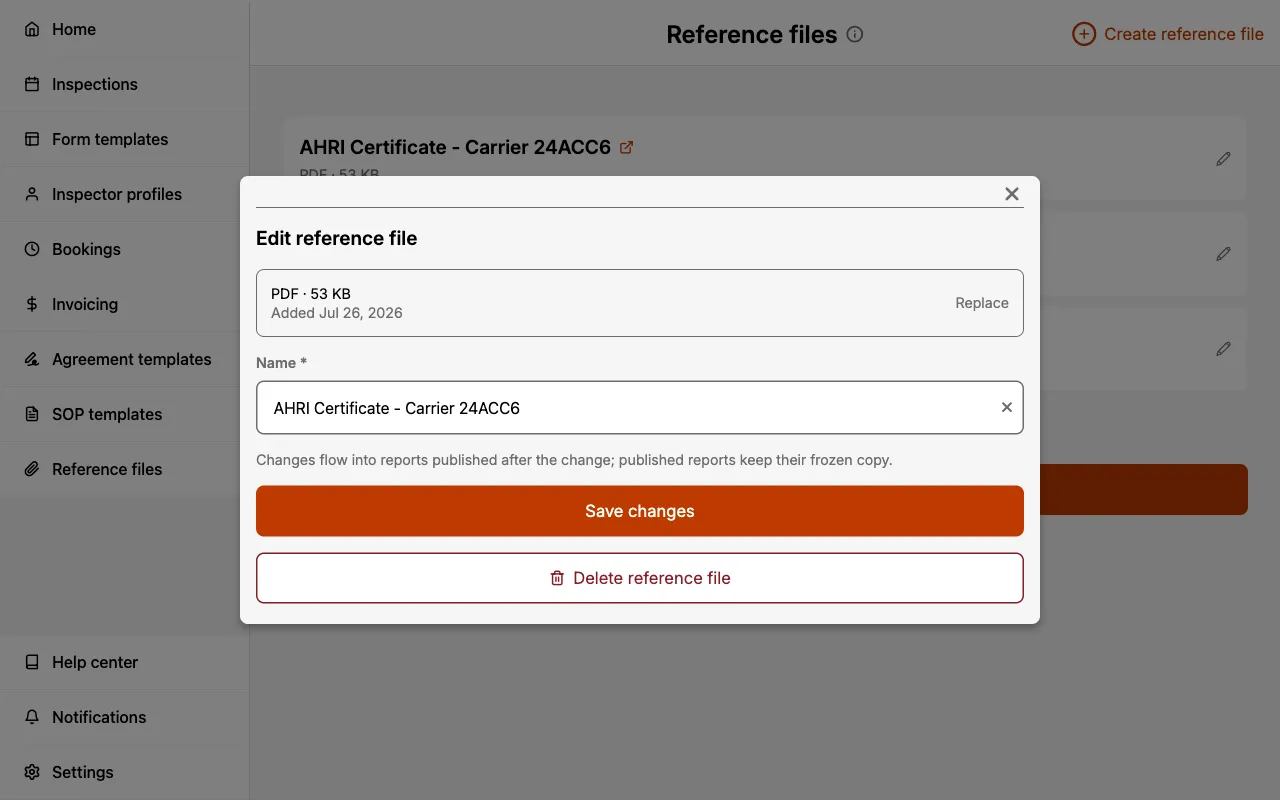
Changes flow into reports published after the change. Reports you have already published keep their own frozen copy of the file, so updating your library never alters a report a client has already received.
This makes replacement the right tool for annual updates. When a new edition of a code excerpt is released, replace the file once and every future report picks it up automatically.
Deleting a reference file
Open the file with the pencil icon and select Delete reference file.
If an Inspection Form still lists a deleted file as an appendix, that form cannot be published until the appendix is removed from it. Check that no in-progress forms depend on a file before deleting it.
Who can manage Reference Files
| Role | View and attach | Create, edit, and delete |
|---|---|---|
| Admin | Yes | Yes |
| Scheduler | Yes | Yes |
| Inspector | Yes | No |
Inspectors can browse the library and attach any file to their own Inspection Forms, but cannot add, rename, or remove library files. See Multi-inspector for the full permissions breakdown.
Related
- Appendices: attaching reference files to an individual Inspection Form.
- SOP Templates: attaching standards of practice documentation to a Form Template.
- Reports: how published reports are generated and shared.