Syncing
Syncing ensures that your inspection data is uploaded to the cloud, so it's backed up and accessible across all your devices.
Syncing sends the latest version of your Inspection Forms from your local device to the Eneris cloud. This keeps your data safe, allows for collaboration, and enables seamless access to your Inspection Forms from other devices.
If an Inspection Form has not been synced for more than 30 days, any unsynced changes will be lost. To avoid losing your work, sync your forms regularly.
Auto-syncing
Any out-of-sync offline forms will automatically sync in the background at a regular interval if the app is open and you are connected to the internet.
The app will also download any inspection forms that are within the last 30 days or newer to your device if they are not already on your device.
You can also manually sync each form by selecting the Sync option in the form properties.
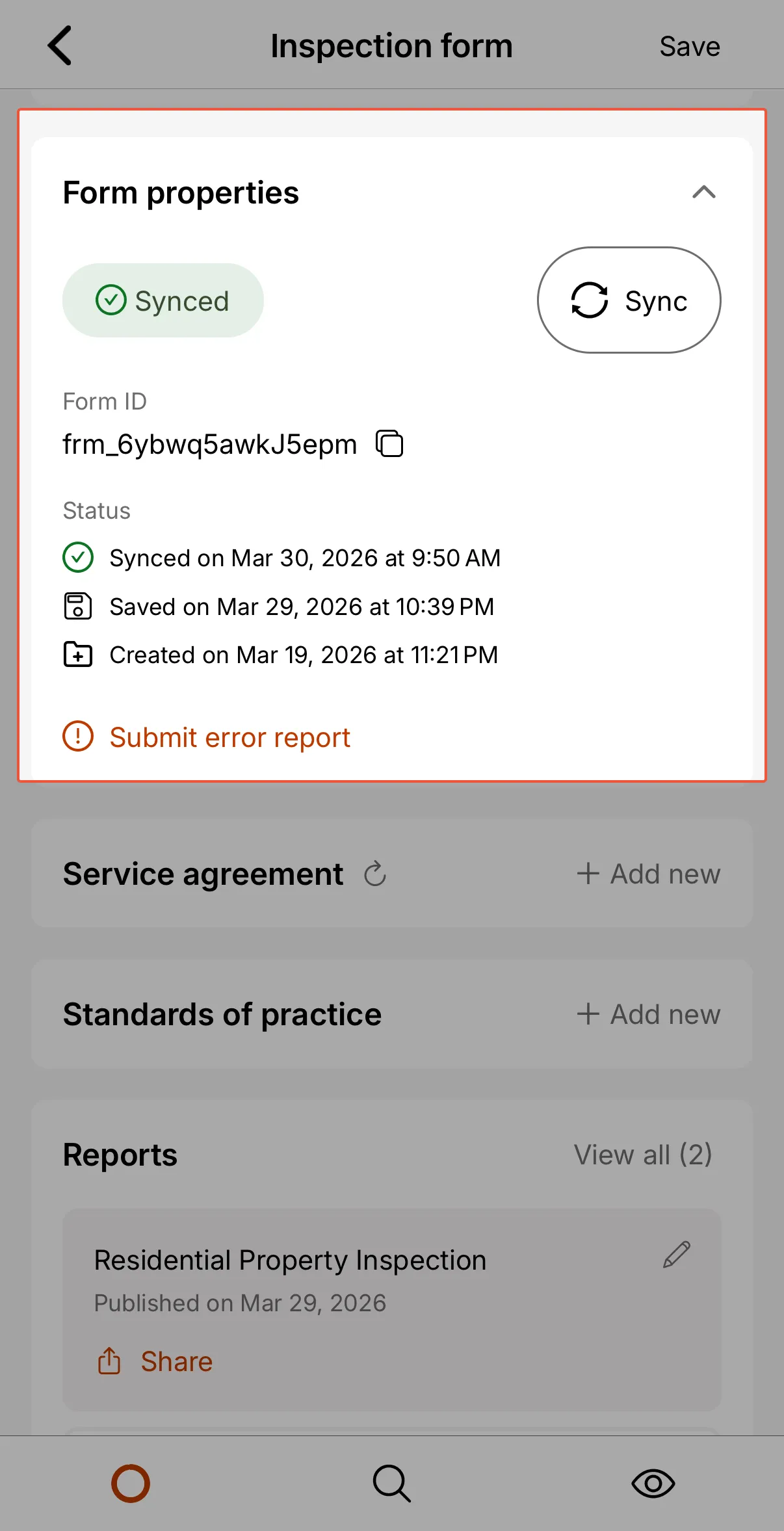
Sync status
A badge beside the Sync button tells you where the form stands:
| Status | What it means |
|---|---|
| Synced | Everything on this device has reached the cloud. |
| Syncing | A sync is running right now. |
| Out of sync | You have local changes that have not been uploaded yet. |
| Error | The last sync did not finish. Sync again, and see Common Issues if it keeps failing. |
Stopping a sync in progress
Syncing a form with a lot of photos and videos can take a while, which is inconvenient if you started it on a weak connection or need to move on to another job.
While a sync is running on your mobile device, the Sync button becomes Stop. Selecting it ends the sync in an orderly way rather than killing it outright, so the button reads Stopping... for a moment while the current upload finishes.
Stopping a sync never loses work. Anything already uploaded stays uploaded, anything that had not gone yet stays safely on your device, and the form simply returns to Out of sync until you sync again.
The Stop option is available on the mobile app only. Syncs on the web app run differently and do not offer it.
Syncing vs. Saving
While saving stores your work locally on your mobile device, syncing uploads the report to the cloud for backup and access across devices.
| Action | Where it's stored | When it happens |
|---|---|---|
| Saving | On your local mobile device | Every 30 seconds or manually |
| Syncing | In the Eneris cloud | Automatically in the background while the app is active. You may also manually sync. |
For more information on Saving click here.