SOP Templates
SOP Templates (Standards of Practice Templates) allow you to attach professional standards documentation to your inspection reports. By linking an SOP to your Form Templates, you can ensure every inspection report includes the relevant standards your work adheres to.
SOPs are critical for:
- Professional credibility — Demonstrating adherence to industry standards builds trust with clients.
- Compliance — Many inspection associations require members to follow specific standards.
- Consistency — Ensuring all inspections reference the same standards across your team.
SOP Templates are reusable across multiple Form Templates. Set them up once and apply them to any template you create.
What is a Standard of Practice (SOP)?
A Standard of Practice (SOP) is a document that defines the minimum requirements for conducting inspections. These standards outline what inspectors should and should not inspect, limitations, and the scope of the inspection. SOPs are often published by professional inspection associations, but individual inspectors and multi-inspector organizations can also create their own.
Including the SOP in your reports helps clients understand what was covered and sets appropriate expectations for the inspection scope.
Default SOP Templates
Eneris includes the following built-in SOP Templates to help you get started:
InterNACHI Standards of Practice
ASHI Standards of Practice
CAHPI Standards of Practice
HIABC Scope of Inspection
ASTTBC Standards of Inspection
You can use these default templates as-is or create your own custom SOP Templates based on your association's requirements.
Managing SOP Templates
View SOP Templates
To view your existing SOP Templates:
- Select SOP templates from the sidebar.
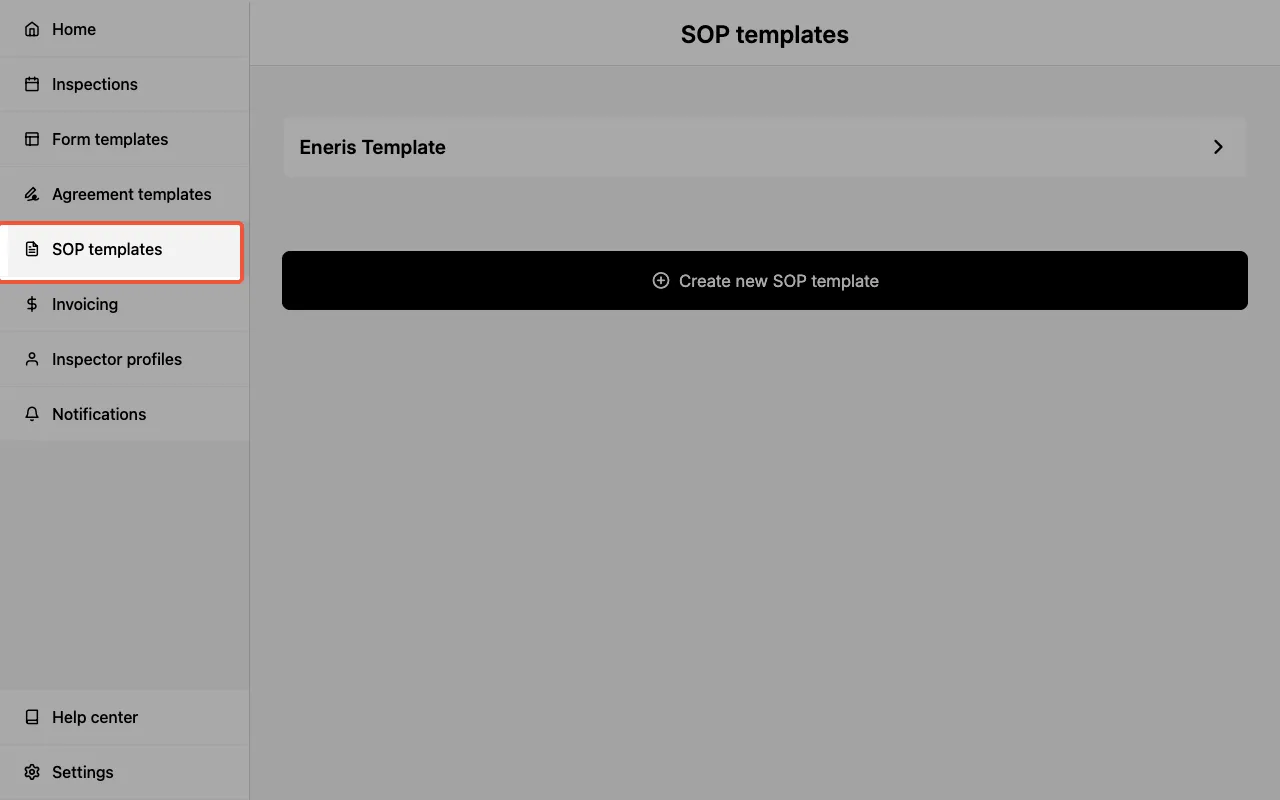
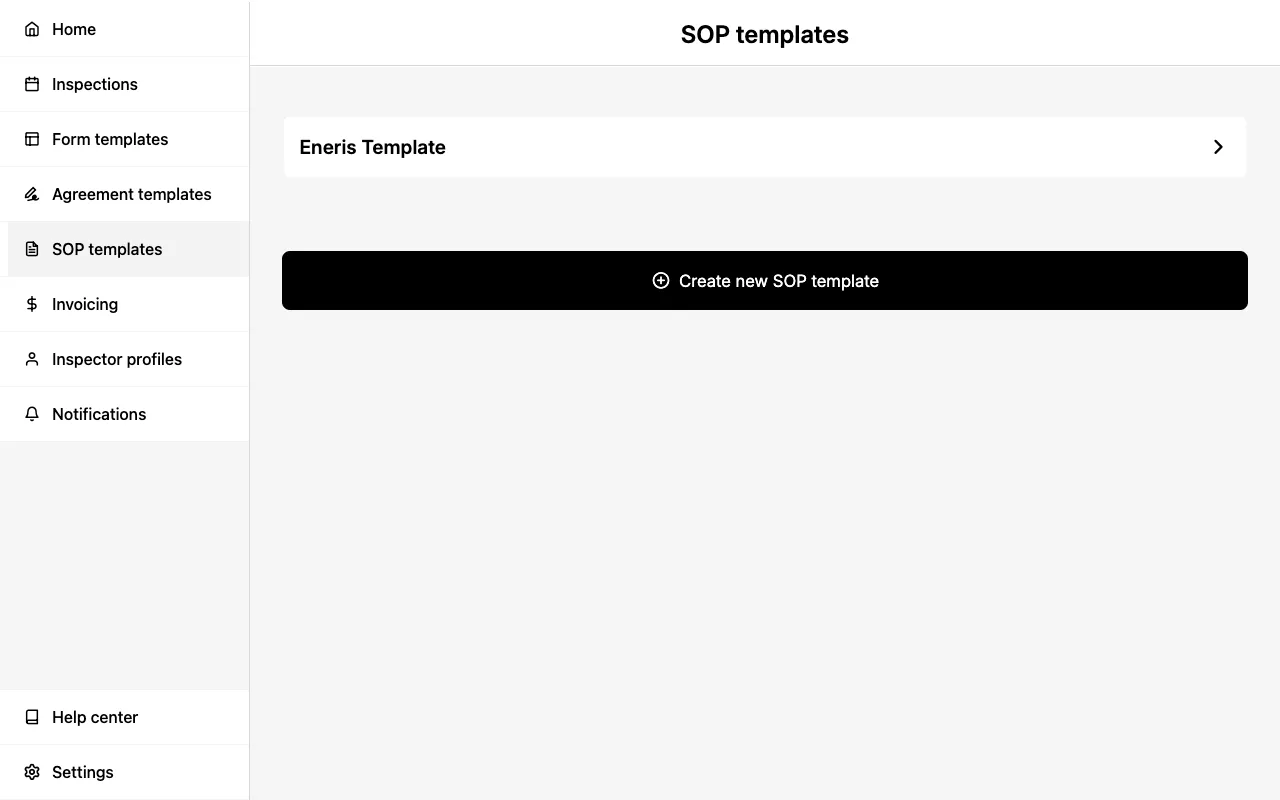
You will see a list of all available SOP Templates, including the default templates and any custom templates you have created.
Create an SOP Template
To create a new SOP Template:
- Select SOP templates from the sidebar.
- Select Create new SOP template.
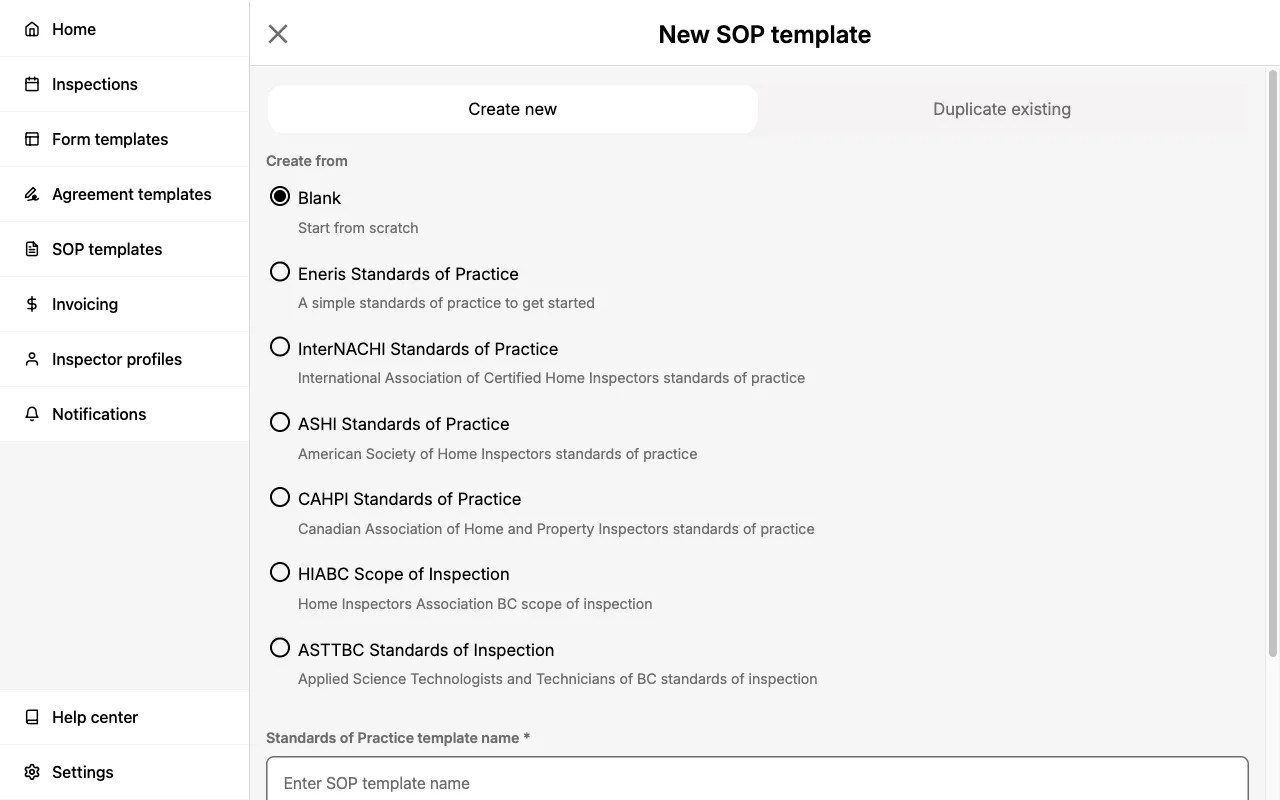
- Choose between Create new or Duplicate existing using the segmented control at the top.
- If creating new, select a template to start from (e.g., Blank, InterNACHI, ASHI, etc.) or start from scratch.
- Enter a Standards of Practice template name and select Create new.
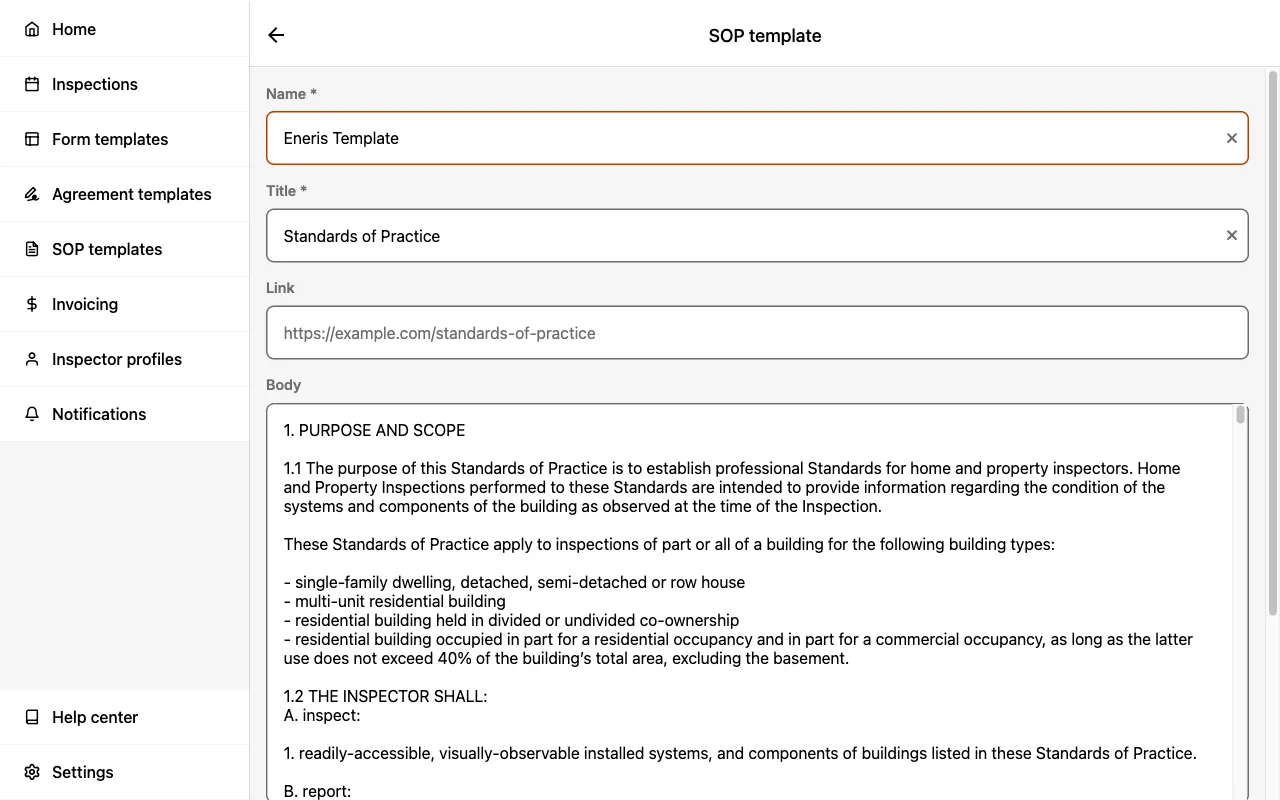
- Enter a Name for your template (this is for internal reference only).
- Enter a Title (this appears in your PDF reports).
- Optionally, enter a Link to the full SOP document online.
- Enter the SOP content in the Body field.
- Select Save changes at the bottom of the page.
The Name field is used to identify the template in your list. The Title field is what appears in your client-facing PDF reports.
Edit an SOP Template
To modify an existing SOP Template:
- Select SOP templates from the sidebar.
- Select the template you wish to edit.
- Update the Name, Title, Link, and Body fields as needed.
- Select Save changes.
Changes to an SOP Template only affect new Inspections created after the change. Existing inspections retain the SOP content that was embedded when they were created.
Delete an SOP Template
To delete an SOP Template:
- Select SOP templates from the sidebar.
- Select the template you wish to delete.
- Scroll to the bottom and select Delete SOP Template.
- Confirm the deletion when prompted.
Deleting an SOP Template cannot be undone. Existing inspections that use this template will retain their embedded SOP content.
Linking SOP to Form Templates
To associate an SOP Template with a Form Template:
- Select Form templates from the sidebar.
- Select the Form Template you wish to modify.
- Locate the Standards of practice template field.
- Select the edit icon and choose the desired SOP template from the menu.
- Select Save in the upper right.
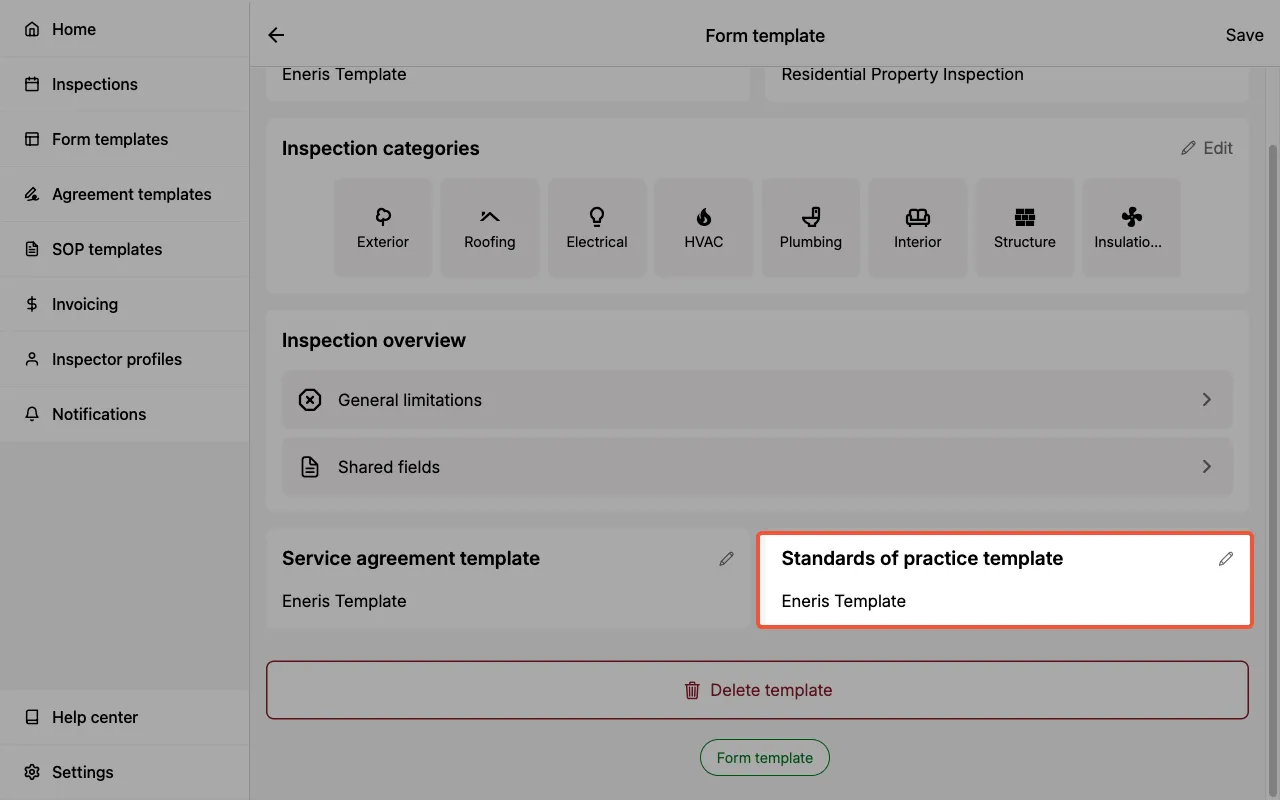
Once linked, the SOP is automatically embedded when creating new Inspections using that Form Template. The SOP content (title, link, and body) is copied into the Inspection Form, allowing for per-inspection modifications if needed.
SOP in Inspection Forms
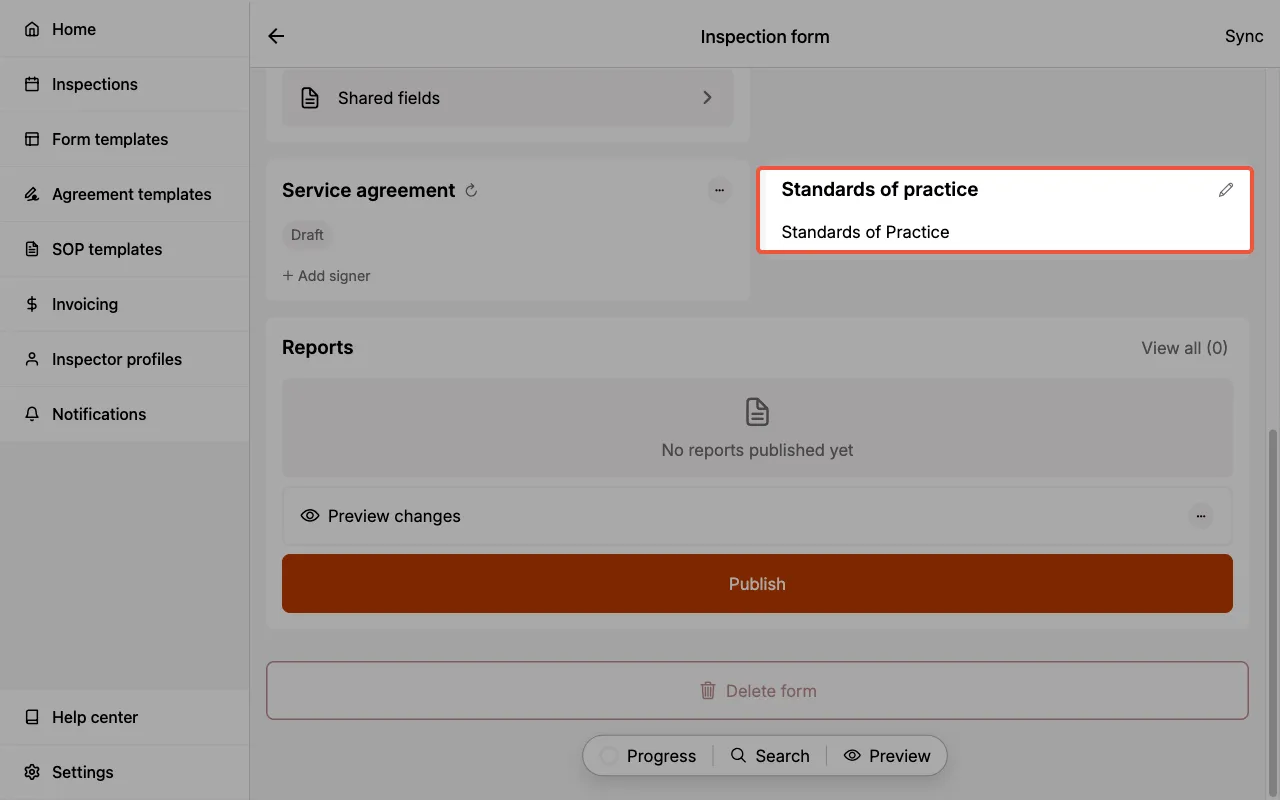
When you create an Inspection using a Form Template that has an SOP linked, the SOP content is automatically embedded into the Inspection Form.
You can view and modify the embedded SOP content directly within the Inspection if you need to make ad-hoc changes for a specific job. This is useful when:
- A client requests additional scope clarifications
- You need to add project-specific limitations
- You want to reference a different version of the standards
Changes made to the SOP within an Inspection Form only affect that specific Inspection — they do not update the original SOP Template.
SOP in Reports
When you publish a report, the SOP content appears in the PDF report. The SOP section includes:
- Title — The display title (e.g., "Standards of Practice")
- Link — A link to the full SOP document (if provided)
- Body — The SOP content body text (if provided)
Including your SOP in reports demonstrates compliance with professional standards and helps set clear expectations with your clients about the scope and limitations of the inspection.
To attach other supporting documents such as diagrams, code excerpts, or homeowner checklists, use Reference Files. Unlike SOPs, which are linked to a Form Template, reference files are attached to an individual Inspection Form as appendices.