Settings
The Settings page allows you to update the name and email associated with your Eneris account. It also provides information on your subscription details and a few other details.
Display options and report styling live on their own page. To set your theme, or to change how your team's reports are branded and laid out, see Preferences.
The Settings page can be found on the home screen.
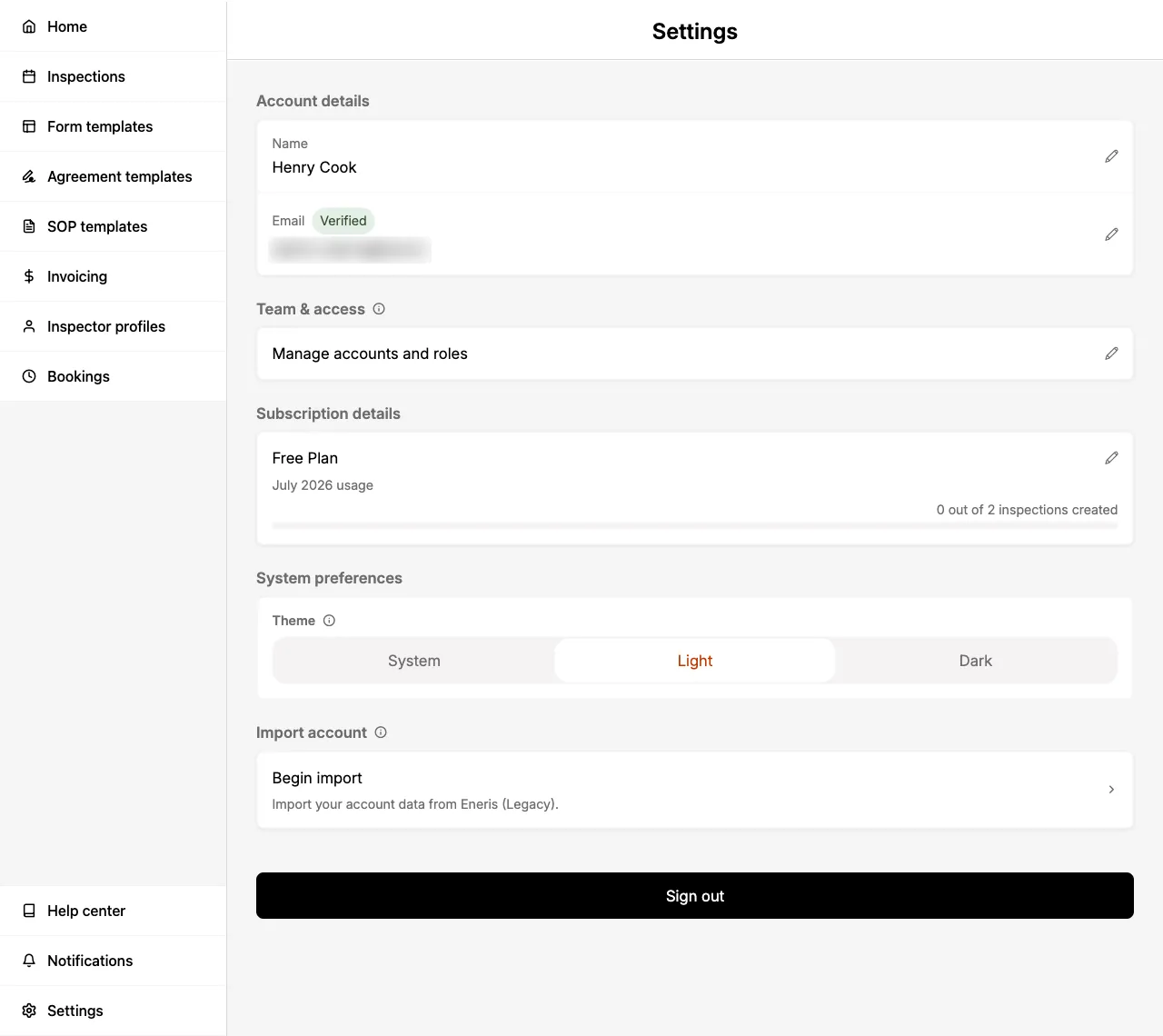
Name
Select the edit icon to update your name.
Email
Select the edit icon to update your email.
- A verification email will be sent to the email address you enter.
Team & access
Manage your team members and their roles within your Eneris organization. The Team & access section allows administrators to add inspectors, assign roles, and control access permissions.
For detailed information on managing multiple inspectors and team access, see Multi-inspector.
Subscription details
Details on your current subscription plan.
App details
Displays the Eneris application version, build number, and patch ID. This section appears in the mobile app only.
Import account
Allows you to import your Eneris Legacy account. For more information, see Migrating your account from Eneris Legacy.
Integrations
Connect Eneris to the other software your office runs on.
- ISN: connect your Inspection Support Network account so orders scheduled in ISN import into Eneris automatically, and published reports are sent back to the ISN order. For setup instructions, see ISN.
Every team member can see the Integrations section, but only those with the Admin or Scheduler role can connect or change an integration.
Sign out
Signs you out of your current Eneris account.
Delete my account
Allows you to permanently delete your Eneris account. This action will delete all data associated with your account, including inspections, reports, templates, team data, uploaded media, and billing information.
This action cannot be undone.
To delete your account:
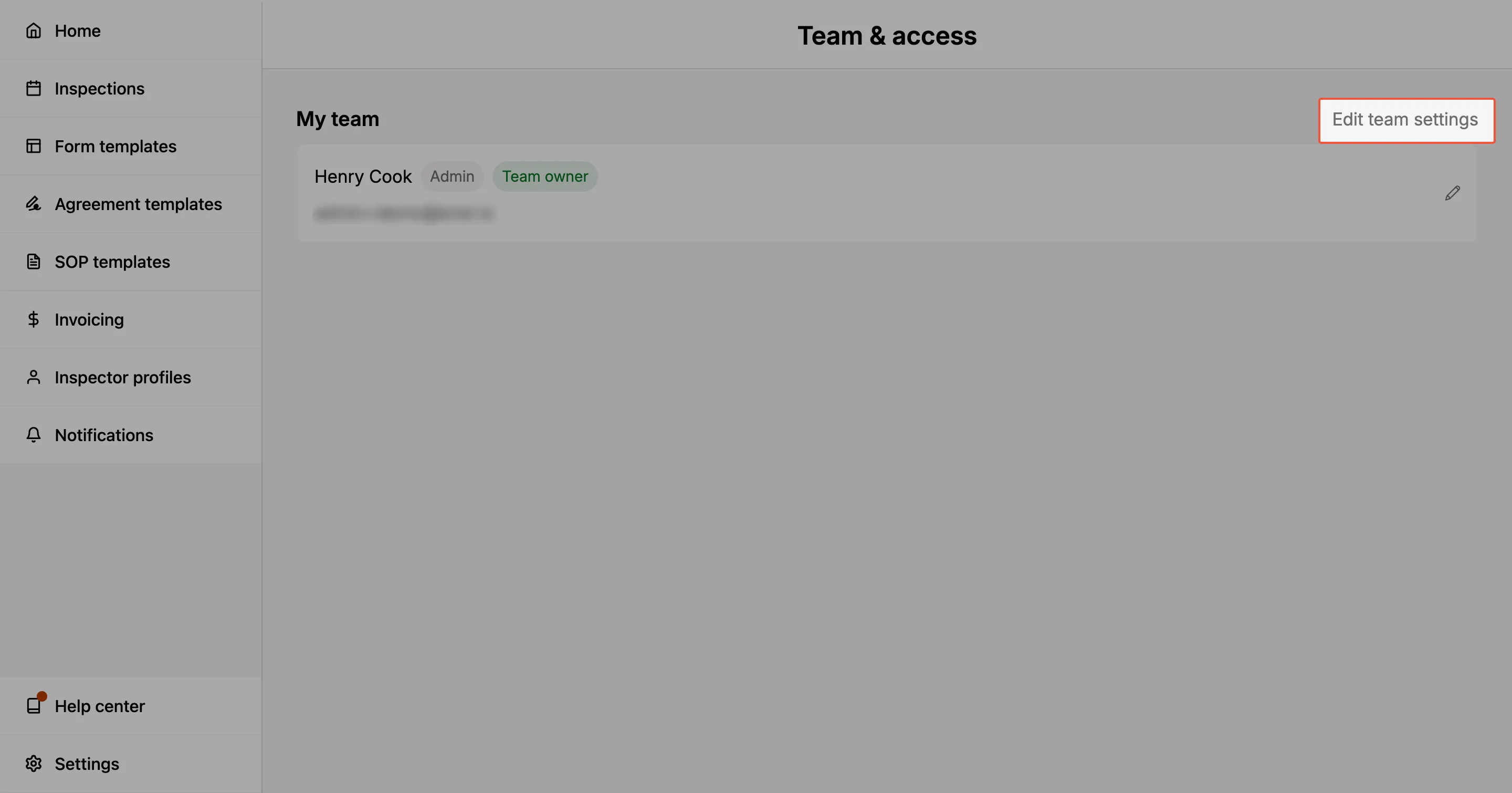
- From the Settings page, under Team & access, select Manage accounts and roles.
- On the My team page, select Edit team settings in the top-right.
- Scroll to the Danger zone section at the bottom of the page and select Delete team.
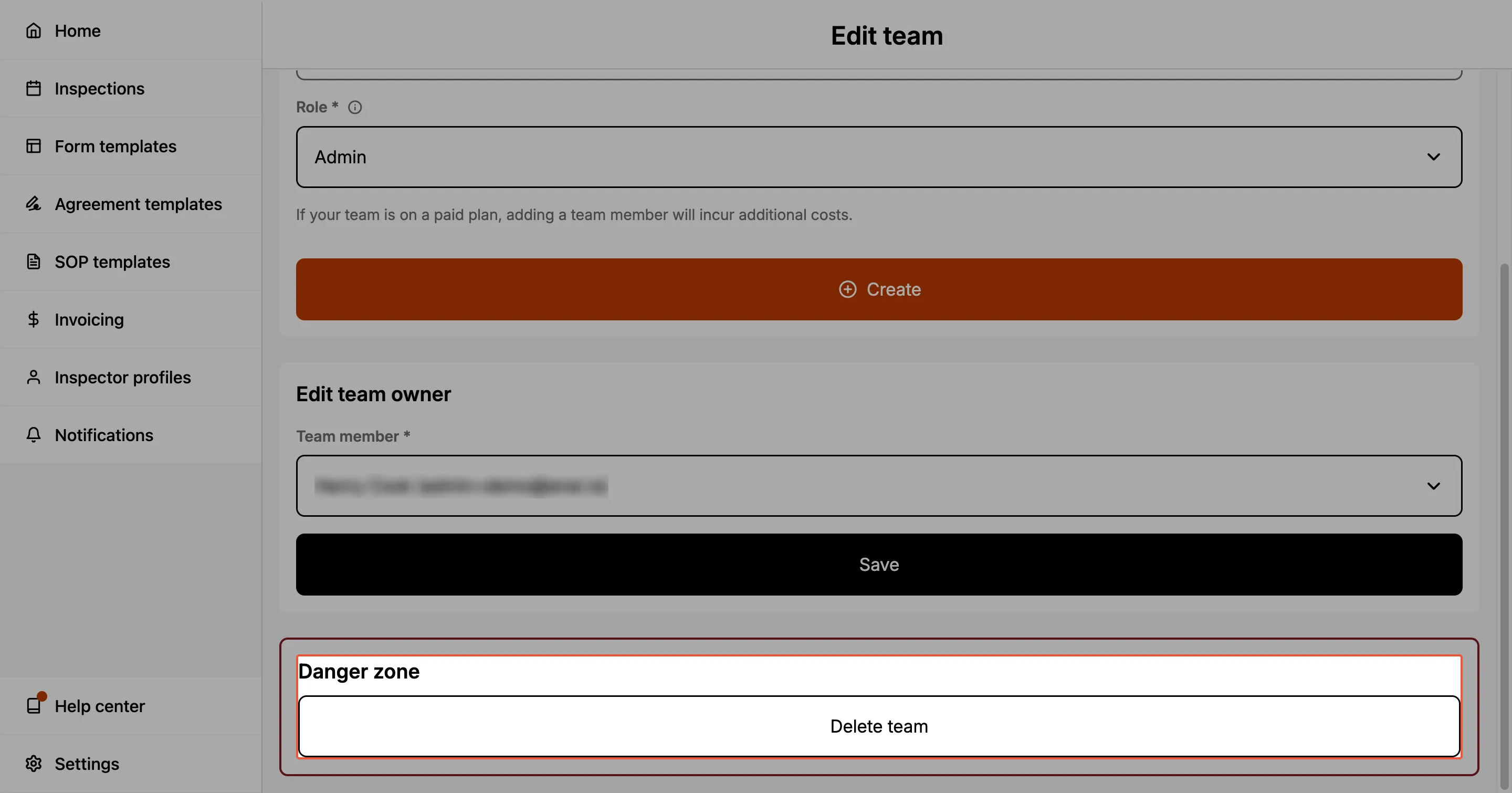
- Review the warning in the confirmation dialog, then select Delete to confirm.
After confirming, you will be signed out automatically and a notification will let you know that the deletion request was submitted.
Deleting the team also deletes the accounts of all other team members. Only users with the Admin role can delete the team. For more on team roles, see Multi-inspector.
Account deletion requests may take up to 14 days to fully process.